Private AI autocomplete for Mac.
Typeahead adds AI sentence completions to every app on your Mac. Locally, invisibly, with one-time pricing. Open Mail. Open Slack. Open anything. Just type. Tab to accept.
“You've built a Mac setup that works. Typeahead fits into it.”
If you're reading this, your Mac setup is probably already solid. Raycast for search and workflows. A good window manager. A browser with the right extensions. Maybe Alfred, maybe CleanMyMac, maybe a few other tools you paid for once and have used every day since.
These tools have something in common: they work invisibly, they don't interrupt your flow, and you paid for them once.
Typeahead is that, for writing. It runs in the background, surfaces inline suggestions as you type in any app, and disappears the moment you don't need it. Install once, $79, and it's part of your setup forever.
Features
Finish every thought.
Before you finish typing.
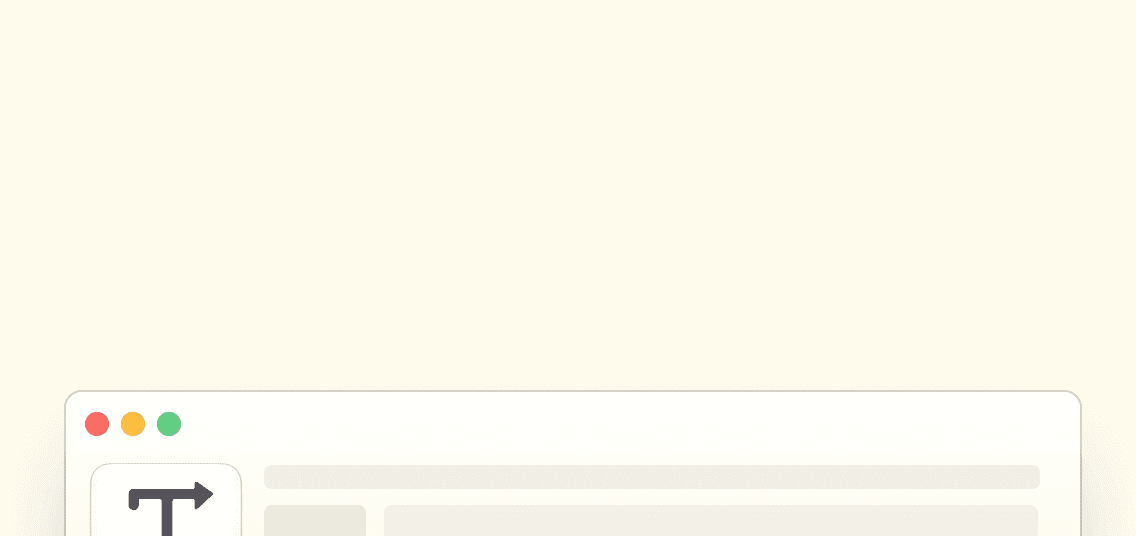
Built for macOS
Optimized for Apple Silicon. Fast, lightweight, and feels like it belongs on your Mac.
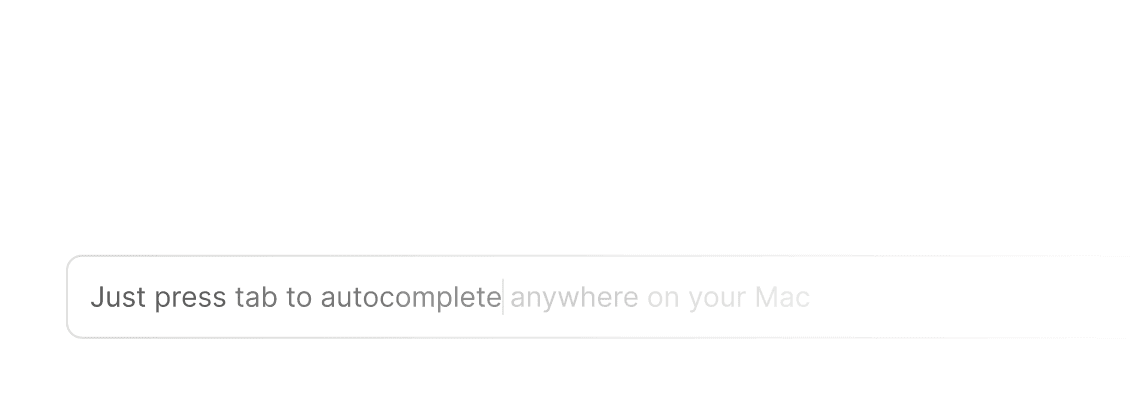
Just press tab to complete
Suggestions appear inline as you type. Press tab to accept. It's that simple.
Learns Your Voice
Adapts to how you write after a few days. Sounds like you, not a bot.
Lightning Fast
GPU-accelerated. Zero lag.
100% Private
No servers. No accounts. No telemetry.













Works in Every Mac App
From your email to your editor. Slack to Notion. If you can type in it, Typeahead works.
One-Time Purchase
Pay once. Own it forever.
Save Hours Weekly
Save 5-8 hours each week on repetitive typing.
Use Cases
What it does across your Mac.
Writing emails in Apple Mail
Completions so natural you forget it's AI. Draft replies and new messages with inline suggestions that match your tone.
Slack replies
Quick, thoughtful messages without the effort. Typeahead finishes your sentences so you can move on to the next thing.
Docs in Bear, Notion, and Obsidian
Long-form writing with your flow preserved. Suggestions appear inline as you type, and disappear the moment you don't need them.
Anywhere on Mac
It follows you across every app. Notes, browsers, text editors, chat apps. If you can type in it, Typeahead works.
Compatibility
Works in the tools you already use.


Typeahead uses the macOS Accessibility API. It works in any app with a text field, including native apps, Electron apps, and browsers.
Privacy First
Zero outbound connections.
Little Snitch safe.
For the audience that actually checks. Your writing never touches a server. All AI processing stays on your Mac. Zero telemetry, zero cloud calls.
| Typeahead | Grammarly | Copilot | ChatGPT | |
|---|---|---|---|---|
| Runs locally | ||||
| Zero outbound connections | ||||
| Works offline | ||||
| No account required | ||||
| System-wide (every app) | ||||
| One-time payment |
Typeahead
Typeahead is architecturally private. Your writing never touches a server. All AI processing stays on your Mac. The only network activity is license activation and optional update checks.
Buy once, own forever.
No subscriptions. No recurring fees. Pay once and Typeahead is yours for life.
Get early access to Typeahead with unlimited usage forever.
- Smart autocomplete in every Mac app
- Unlimited usage — no caps, no quotas
- All language models included
- Free updates for life
Why one-time?
Subscriptions incentivize retention tricks. One-time purchases incentivize building something so good you tell people about it. We chose the second one.
For Mac Users
Your questions, answered honestly.
Typeahead operates in text fields only. It doesn't intercept keyboard shortcuts or launcher behaviors. It coexists with Raycast and Alfred without conflicts.
They'd both try to suggest completions in the same text fields, which creates conflicts. Use one or the other.
Both. Apple Silicon uses the Neural Engine for fast, efficient suggestions. Intel uses an optimized smaller model. Both work fully offline.
Yes. Typeahead includes per-app controls to exclude any app where you don't want suggestions.
Yes, the same permissions that power Raycast's clipboard history and screen reader tools. Typeahead needs Accessibility access to read the active text field and insert suggestions. It doesn't log keystrokes.
Nothing. One-time purchase, license verified locally, no account to manage.
Your Mac setup is better than most. Typeahead fits right in.
One-time pricing. Runs locally. Works in every app.
Local model. Works offline. Account-free. Yours permanently.